
A paid Rampart subscription entitles you to add our private podcast feed, including full episodes of Rampart Talks, to your preferred podcast app.
To activate this, log in to your Rampart account and go to your Account Portal.

In your portal, scroll down to the Rampart Talks section and click the Activate button. You’ll then see a list of options on where to listen to your podcast, including a link to listen on Apple or Spotify.
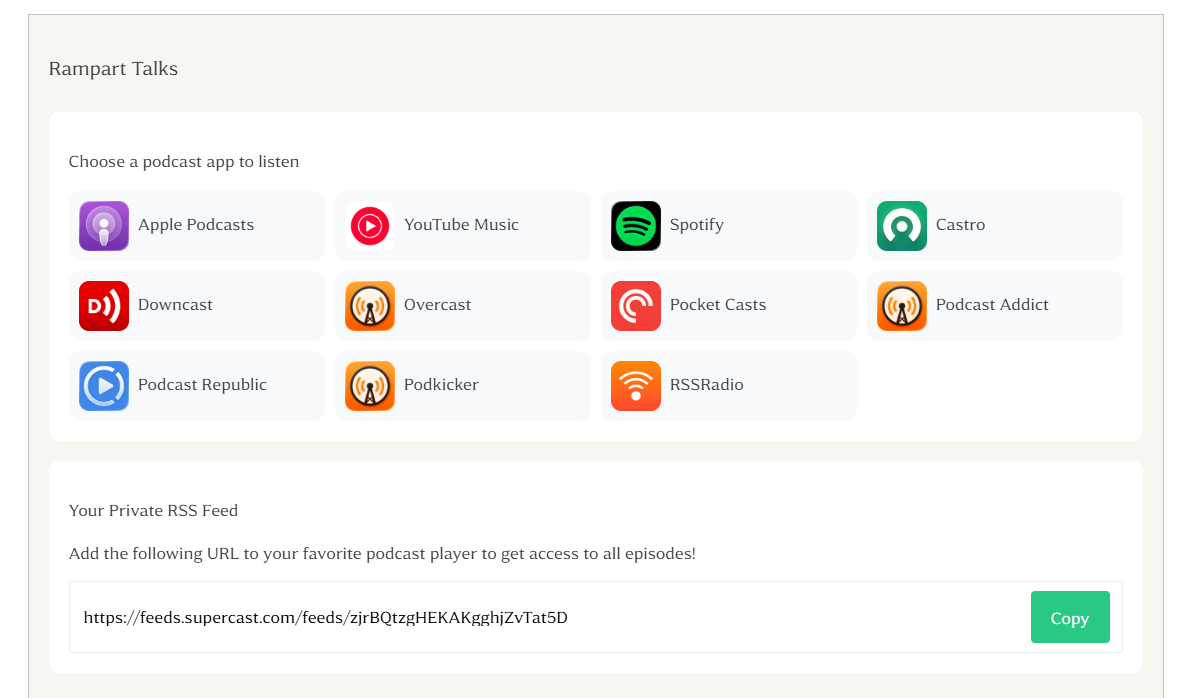
Once you click on your preferred podcast app, you’ll be directed to sign in. Follow the prompts to complete your set up.
Please note activating this podcast feed is for your own personal use. We ask that you do not share this feed or use it for commercial purposes. If a feed is shared, our podcast service will disable the link. Your access to the full episodes of Rampart Talks, including via this podcast integration is tied to your paid subscription.
If you have any issues connecting your private podcast feed, contact us at hello@rampart.news