
Where do I login?
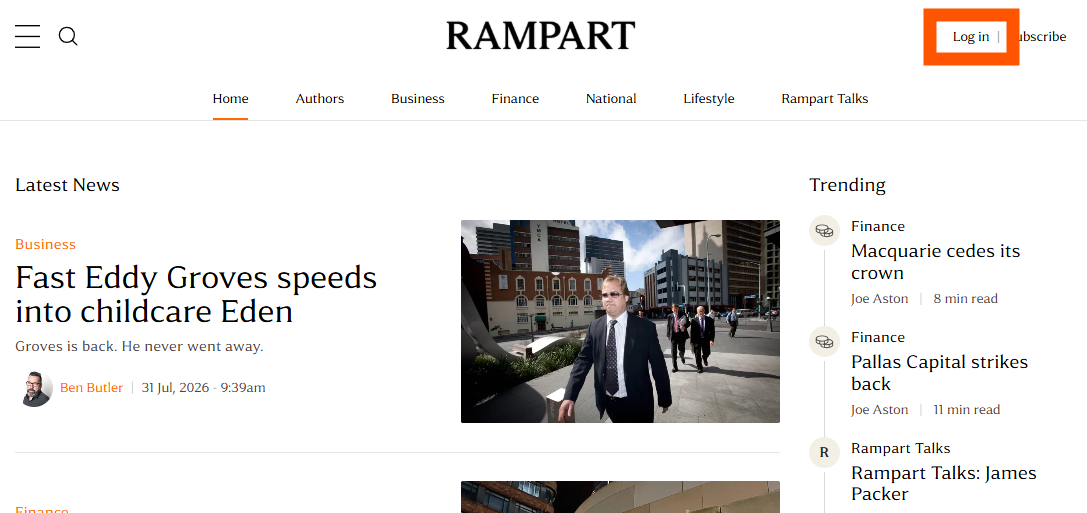
To login to Rampart, click the login link. On your desktop, this is in the top right corner of the menu. On mobile, it sits above the Rampart logo. Alternatively, click here.
I'm not receiving my login code email
Sometimes our emails get caught in company spam filters. This is especially common if you use a work or school email address with strict security settings. Here are a few things to check:
Turn off pop-up blockers and ad blockers for www.rampart.news
Our login process uses a pop-up window. If your browser is blocking pop-ups, please turn off the pop-up blocker for www.rampart.news. Ad blockers and other privacy extensions can also interfere with the login pop-up, so try disabling those for our site as well.
Check your spam and promotions folders
Make sure our emails aren't accidentally ending up in your Spam or Promotions folder. If you find one there, click "Mark as not spam" and/or "Move to inbox."
Add us as a new contact
Add our email address to your contacts list in your email client. This signals to your mail provider that emails from this address should be trusted.
Check with your IT team
If you use a corporate or government email account, contact your IT department and ask them to allow emails from @rampart.news, including @ghost.rampart.news and @mail.rampart.news.
Double-check the email address
Make sure you're entering the same email address you originally subscribed with. It's easy to accidentally try your personal email when you subscribed with your work email, or vice versa – if the addresses don't match, no code will arrive.
Still having trouble after trying these steps? Email us at hello@rampart.news and we'll look into the issue further.
My code or login link says it's invalid or expired
This usually comes down to timing rather than a technical problem.
Codes and links are time-limited
For security, each one is only valid for a short window (well under an hour). If too much time passes before you enter it, it will stop working. Just request a new one rather than assuming something's broken.
Only the most recent code or link works
If you click "resend" more than once, every earlier email becomes invalid. If you have several of our login emails in your inbox, use the newest one and ignore the rest.
Still having trouble after trying these steps? Email us at hello@rampart.news and we'll look into the issue further.
Why am I asked to log in more often than expected?
Once you log in, your browser stores a secure login session so you don't have to re-enter a code every time you visit. This session can last for several months, but a few things can end it sooner and prompt you to log in again:
Clearing your browser's cookies or browsing history
This removes the login session, so you'll need a new code next time.
Using private or incognito browsing
These modes don't save your session, so you'll be asked to log in every time.
Switching browsers or devices
Your login is tied to the specific browser you used to sign in, not your account as a whole. A new browser or device will need its own login.
Company IT policies
Some managed work devices automatically clear cookies, block third-party cookies, or use shared/kiosk browsers, all of which can end your session sooner than expected.
Travelling
When you travel, you often end up on a different device, browser, or network (hotel Wi-Fi, airport Wi-Fi, a work VPN), which can start a new session the same way switching browsers or devices does. Some of these networks also block or clear cookies for privacy or security reasons.
To stay logged in for longer:
Try signing in from the same browser and device each time, and avoid clearing cookies for rampart.news. If you're on a work device, your IT team may be able to tell you whether cookies are being cleared automatically.
Still having trouble after trying these steps? Email us at hello@rampart.news and we'll look into the issue further.